Using the Native Compare Viewer
The native compare viewer lets you inspect two versions of a parameter or object in Activate Studio. It is read-only: changes you see are not applied to either version.
The viewer is available when the PR42846_MergeToolNativeViewerfeature flag is enabled. If you do not see it, ask your Activate administrator whether the flag is enabled for your environment.
Read the comparison
The viewer shows the selected versions in Left and Right panes. Changed sections are highlighted; matching text appears as context. The difference count in the toolbar tells you how many changed regions were found. A comparison with no differences is identified as such.
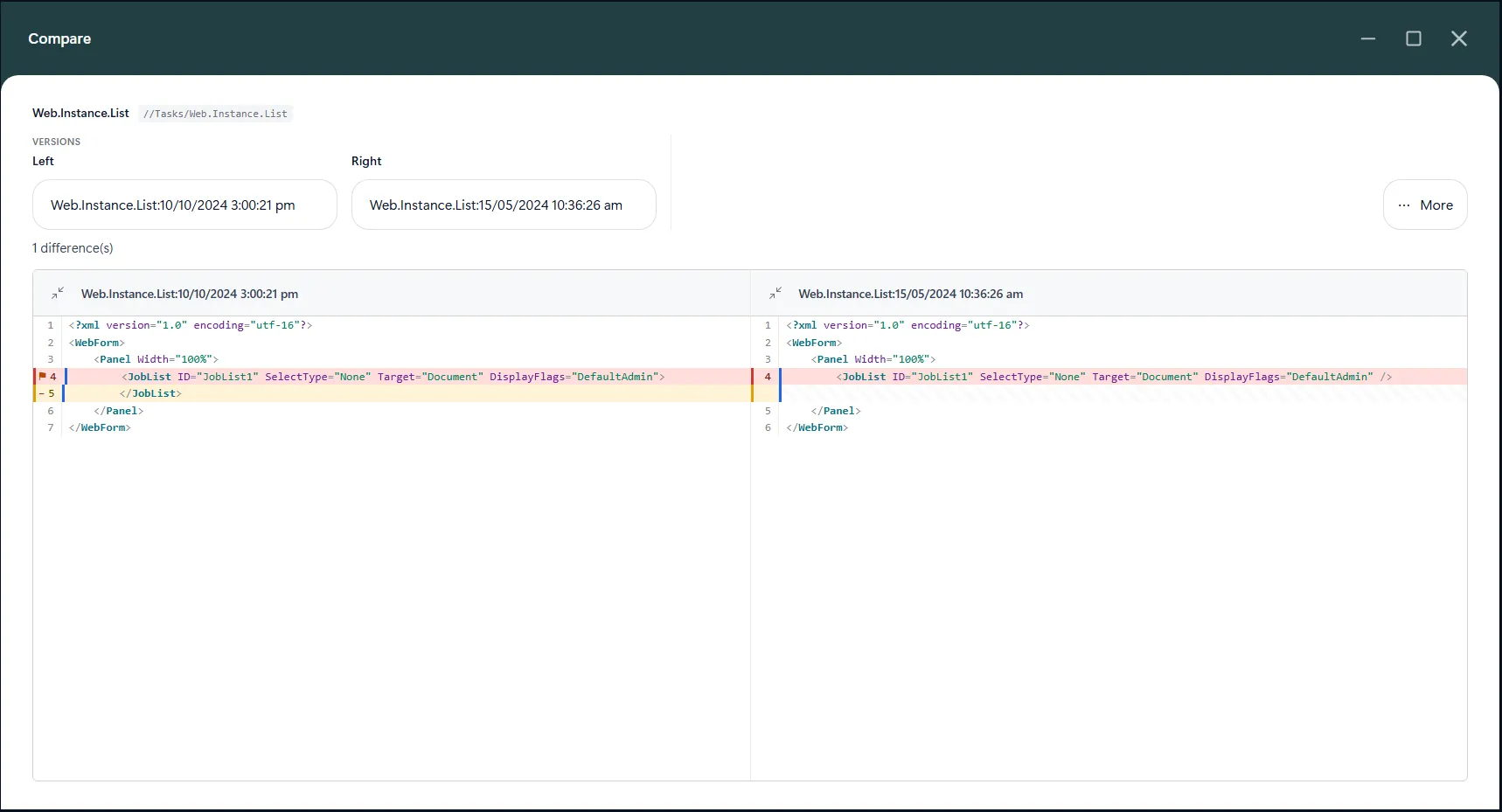
When version selectors are available, use Left and Right to choose a different history version. The comparison updates to the selected pair.
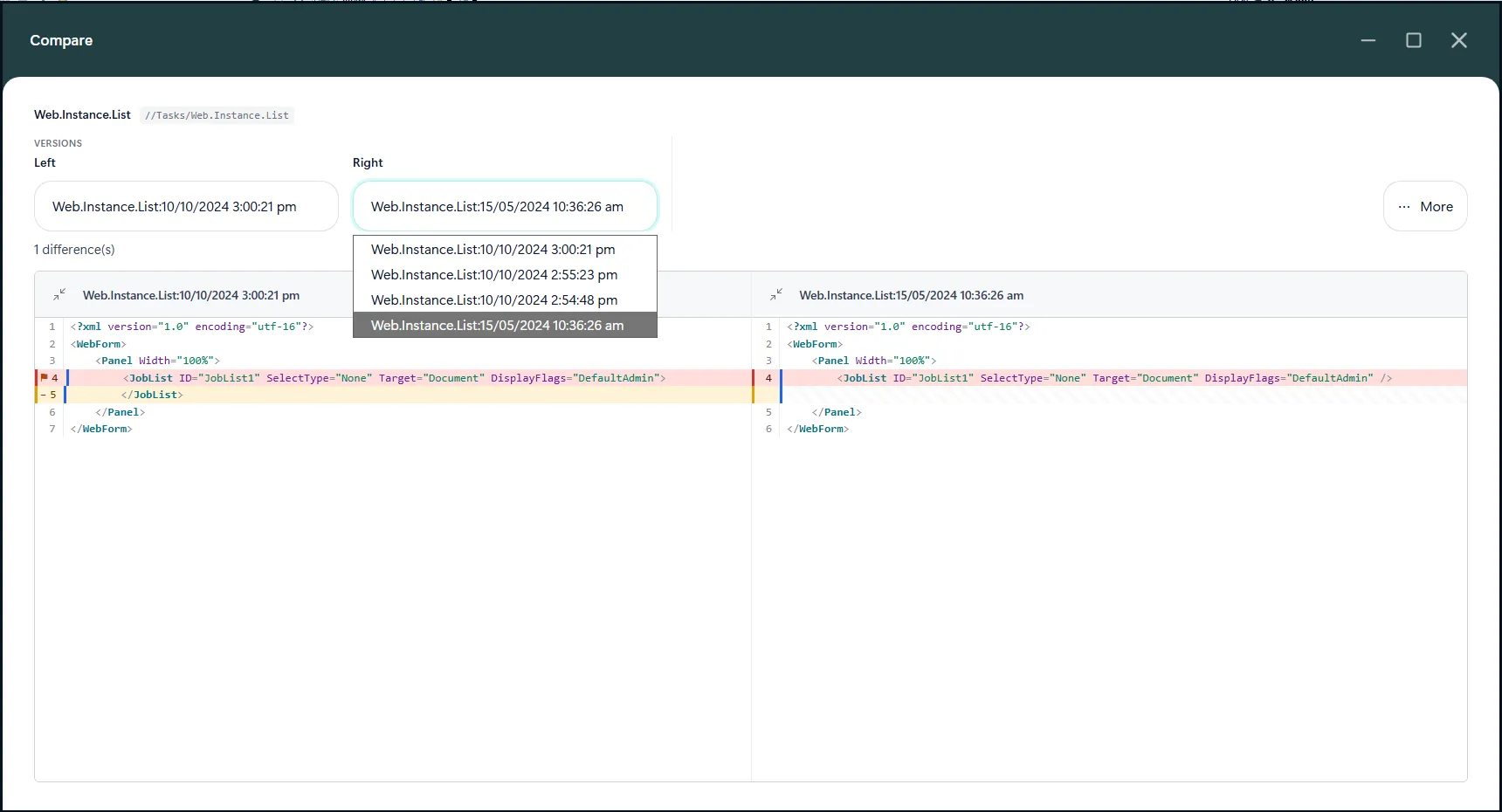
Change the view
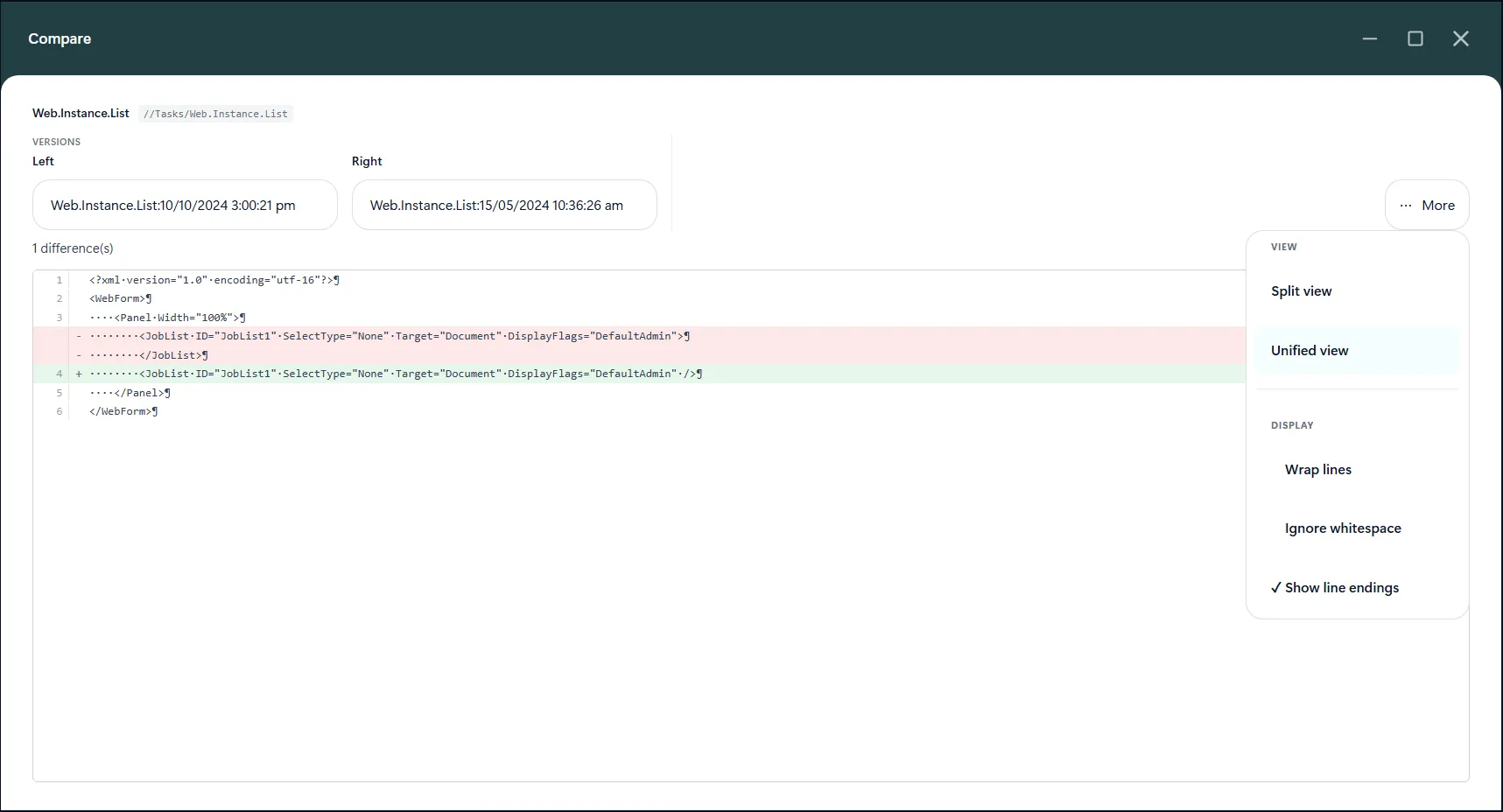
- Split / Unified switches between aligned side-by-side panes and a single combined diff. In unified view, additions and removals are shown inline.
- Display contains the reading options:
- Wrap lines wraps long lines within the pane. With wrapping off, use the pane's horizontal scrollbar to read long lines.
- Ignore whitespace treats whitespace-only changes as equal for display.
- Show line endings makes spaces, tabs, and line endings visible when investigating formatting differences.
- Collapse / restore pane in a pane header temporarily reduces that pane to a narrow labelled rail. Click again to restore it. At least one pane must remain open.
- Maximise / restore in the window title bar expands or restores the compare window.
At narrow window sizes, some toolbar controls move into More. The Display label may show a number when display options are active.
Tips
- Compare like-for-like versions, and check the version labels before drawing conclusions.
- Turn on Ignore whitespace to focus on content changes, then turn it off if spacing or formatting matters.
- Use Show line endings to investigate differences that are hard to see in ordinary text.
- Use Unified for a compact review of additions and removals; use Split when you want to compare corresponding lines side by side.