8.2.0
Release date: June 30, 2024
Breaking Changes
.NET 8
.NET 8 is the latest version of the .NET runtime and comes with many performance enhancements and new features. It will be supported for three years as a long-term support (LTS) release. It can be downloaded from https://dotnet.microsoft.com/download/dotnet
This version of .NET must be installed to run this version of Activate. The latest .NET 8 version of the 'ASP.NET Core Runtime - Windows Hosting Bundle' and the 'Desktop Runtime' must be installed before upgrading to this version.
Please note that .NET 8 may have moved some objects between DLL's and therefore additional @import statements may be required on custom scripts. Please perform a verify and all scripts after upgrade to check.
Microsoft Graph V5 Client Library
This version of Activate has been updated to the latest version of the Microsoft Graph Client Library. Unfortunately, this module is NOT source code compatible to previous versions. This means that any custom scripts that directly use the Microsoft Graph Client Library will need to be changed. This does not affect standard Activate functionality.
The Microsoft upgrade and breaking changes guide is available at https://github.com/microsoftgraph/msgraph-sdk-dotnet/blob/main/docs/upgrade-to-v5.md
Behaviour changes
Copy and Paste
Copy and Paste of Activate objects will now copy the entire tree in Desktop Studio. In the paste, a copy and paste operation would only copy the immediate object and not the children. This meant that to copy a 'tree' of objects that you needed to do each individually or export the object to the clipboard and re-import. However, the export method could cause issues with duplicate GUID's. This change allows an entire tree to be copied without this issue.
New Features
Browse Tree List View
A new 'Browse Tree List' view allows a 'tree' of Activate objects to be viewed as a list and additional properties shown. For example, below is an example of viewing 'Privileged Accounts' as a list. This allows a custom view in a grid of any properties or parameters on the privileged accounts. This makes it much easier to view in a grid common properties of a set of Activate objects.
Activate Web Grid Delay Load
When you click on a link to a Browse Instances Page the page is immediate shown and then the grid shows a loading spinner as the data is loaded. This is because it can take a second or two to load the data for the grid depending upon the data source and this provides a better experience for the user rather than showing nothing until the data is loaded.
This is now possible with general grids and common form pages and therefore custom reports that take a while to run can now have the same functionality. Simply set DelayLoad="true" on the grid.
Search Customisation
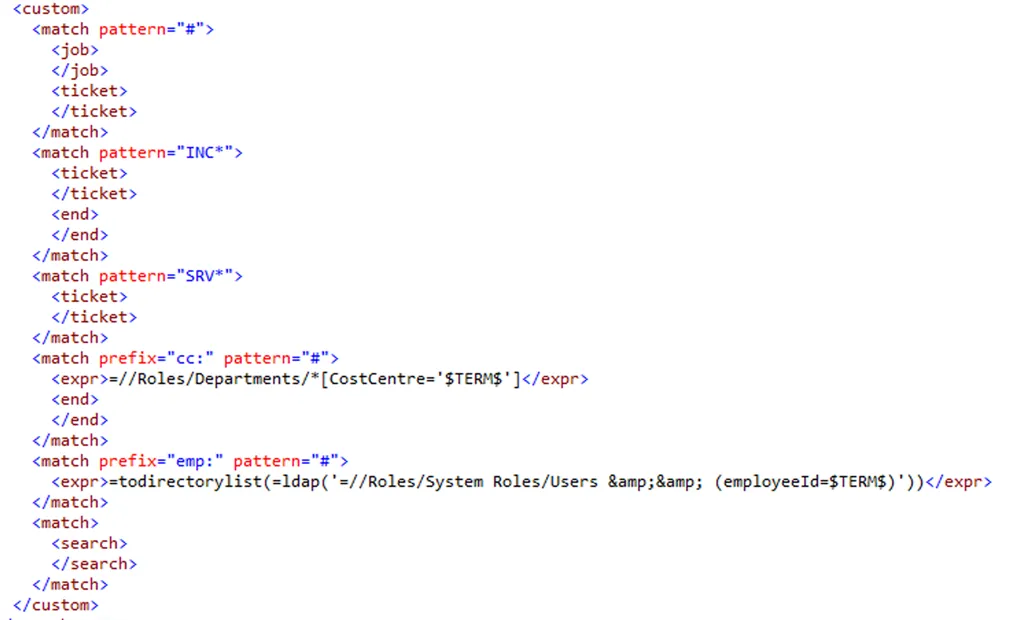
It is now possible to customise the main search order and provide a custom search based on prefixes or pattern matching. For example, in previous version entering a numeric number looked up the number as a Job. You can now customise this case to also search the main search index, look up a service desk ticket or look up the number as an employee number in the directory. This can be customised by editing //Resources/Configuration/Search/SearchDefaults.
Custom Unavailable Form
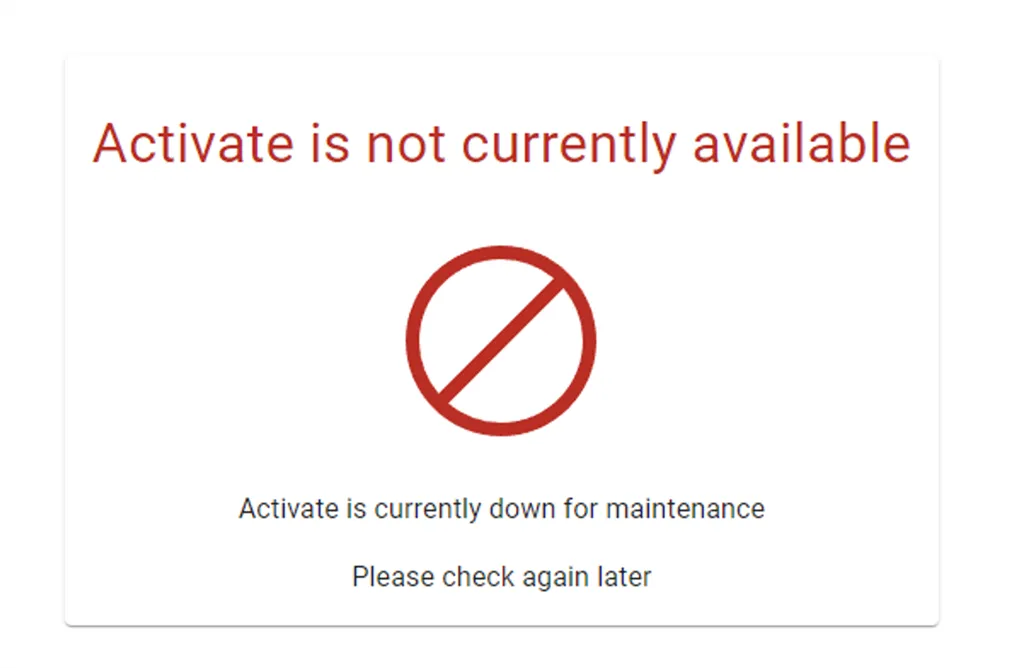
A custom form can be shown if the Activate web site is not available to a user. This can be used during upgrades to lock the site down to just administrators or testers and prevent anyone else from using the site until it is tested and ready.
This is configured by setting //Resources/Configuration/Web/AvailableUsers to a role that is allowed the access the site. The Form can be customised by changing //Resources/Configuration/Web/UnavailablePage.
Multiple Web.Instance.List views
Browse Instances and Browse Tree List pages now support a custom View. The default View is 'Web.Instance' which is the same at previous versions. However, this version introduces the ability to have multiple views of the same object depending upon the user's needs. For example, Privileged Accounts could have a view or users interested in accounts expiry date and another view fore users managing password expiry. The StartPage on a RibbonButton can specify a view.

The view value is the base Parameter Name that will be used to load the view. Valid Values are
- [Base].List - the list columns and list definition
- [Base].Search - the search form to search the list
- [Base].ToolBar - a custom toolbar for this view.
Web Studio Search
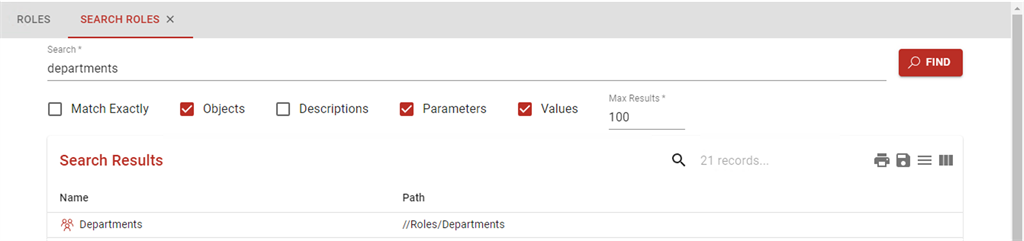
Web Studio now has a full search capability similar to the search function in Desktop Studio. This is accessed from the search icon on the right-hand side of the toolbar in Web Studio.
Features include
- The ability to have multiple search windows open and keep the results.
- Search for object names, descriptions, parameter names and values
- Perform a partial or exact match
- Export / Print or search within the results
Web Studio Goto
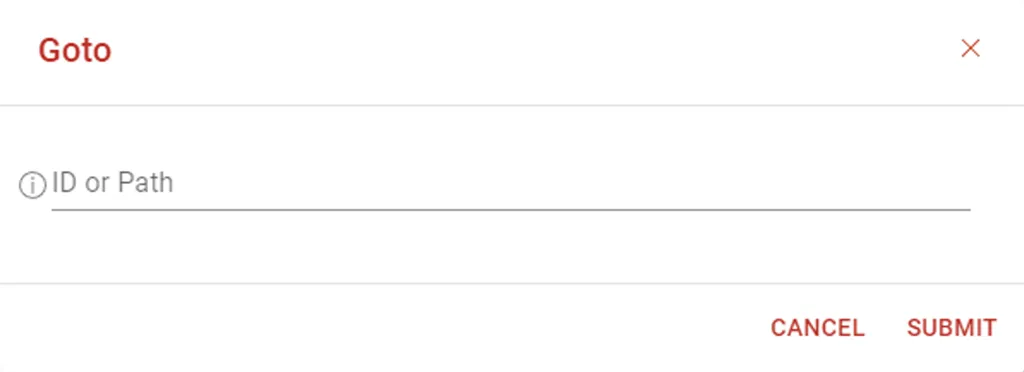
The ability to directly goto a specified object by ID or path. This is similar to the goto function in Desktop Studio.
Web Studio Test Tool
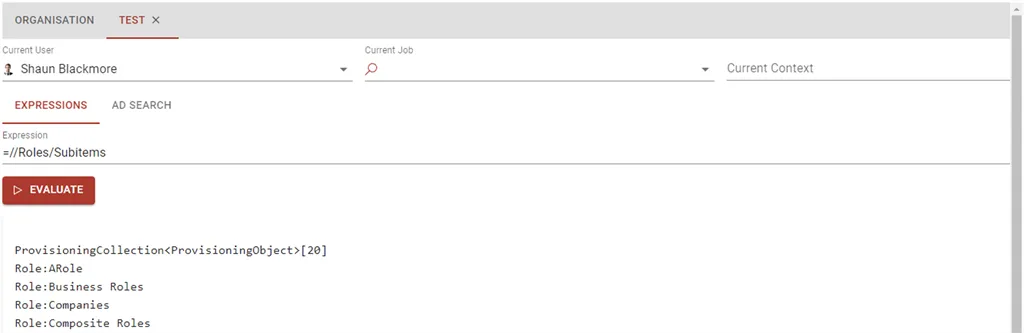
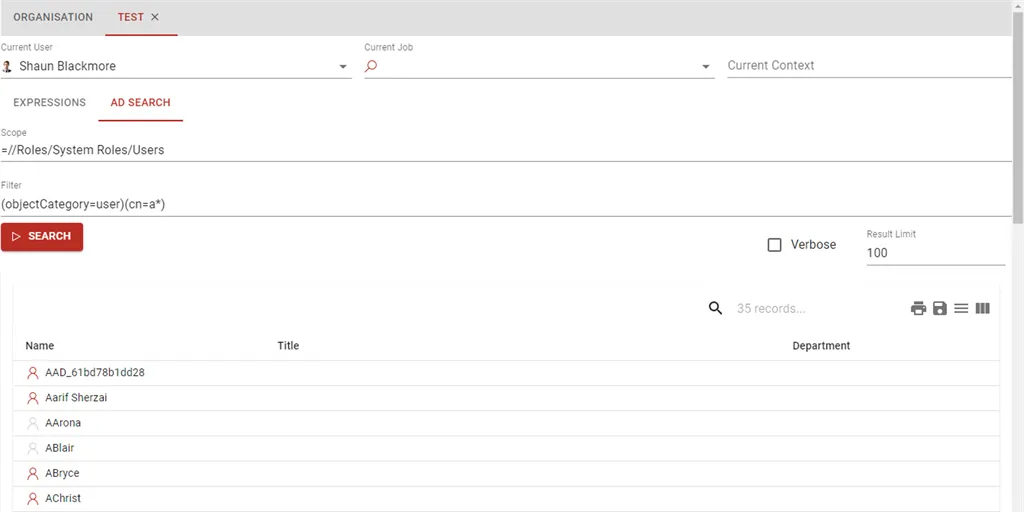
A new version of the Desktop test tool is available to run directly on the web portal.
Expressions can be tested and run in a similar way to the desktop client.
AD Directory search testing can also be performed.
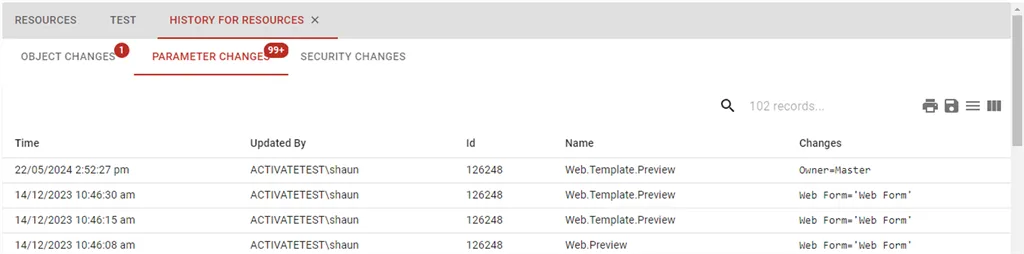
Parameter and Object History
Web Studio now has the ability to view object, parameter and security changes and history directly on the web.
Verify Enhancements
The Verify function is now available within Web Studio. This allows a detailed verify of parameters and references be be done directly from Web Studio and also enables this verification to be done in a regular background task if required. Similarly to Desktop studio this will generate a list of Admin tasks to fix errors. These are also be viewed on the web as detailed in the next section.

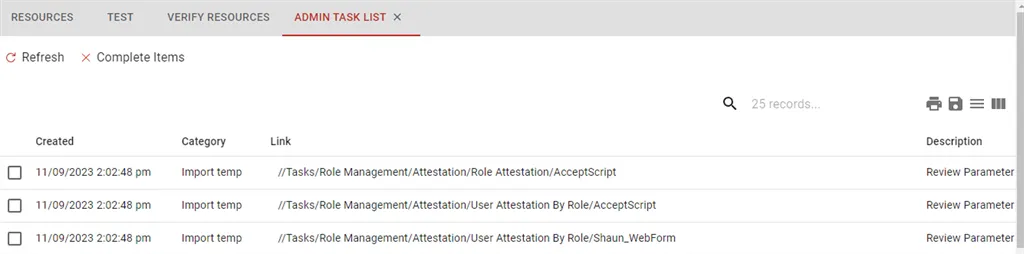
Admin Tasks
Admin tasks from upgrades, imports or verify functions can now be viewed and managed directly in Web Studio.
Package Import and Export
Packages can now be imported or exported directly from Web Studio.
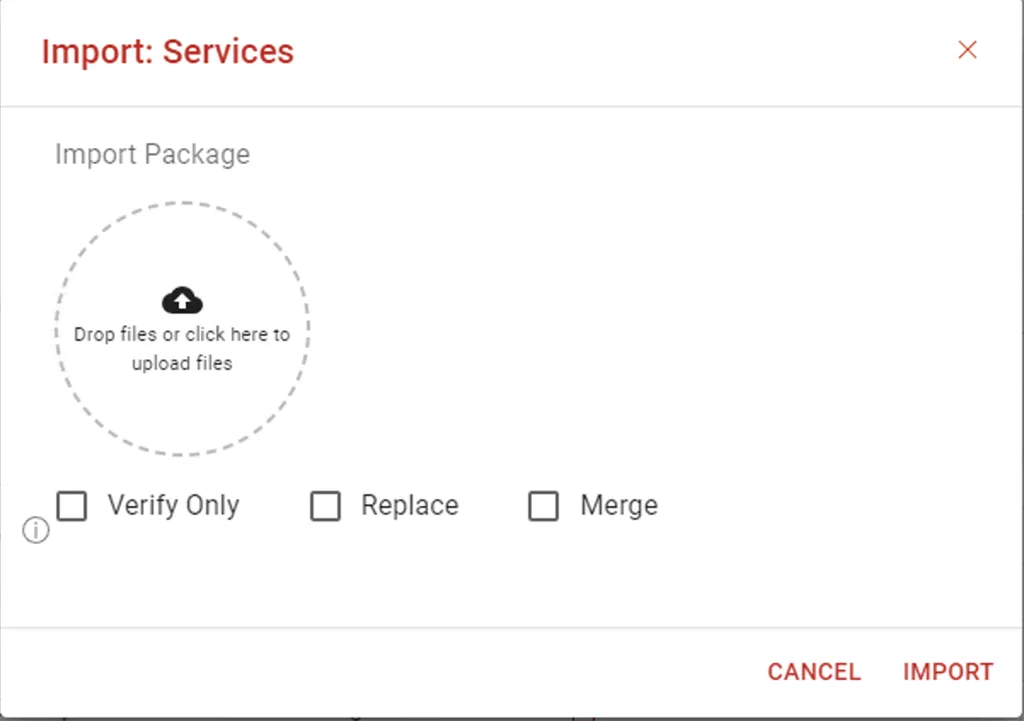
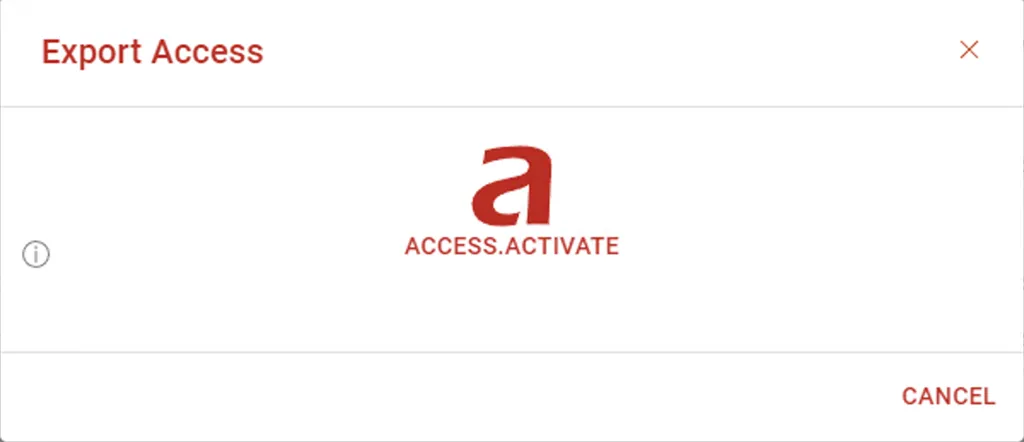
The following dialog allows the export of a package.
Master Site Promote and Update
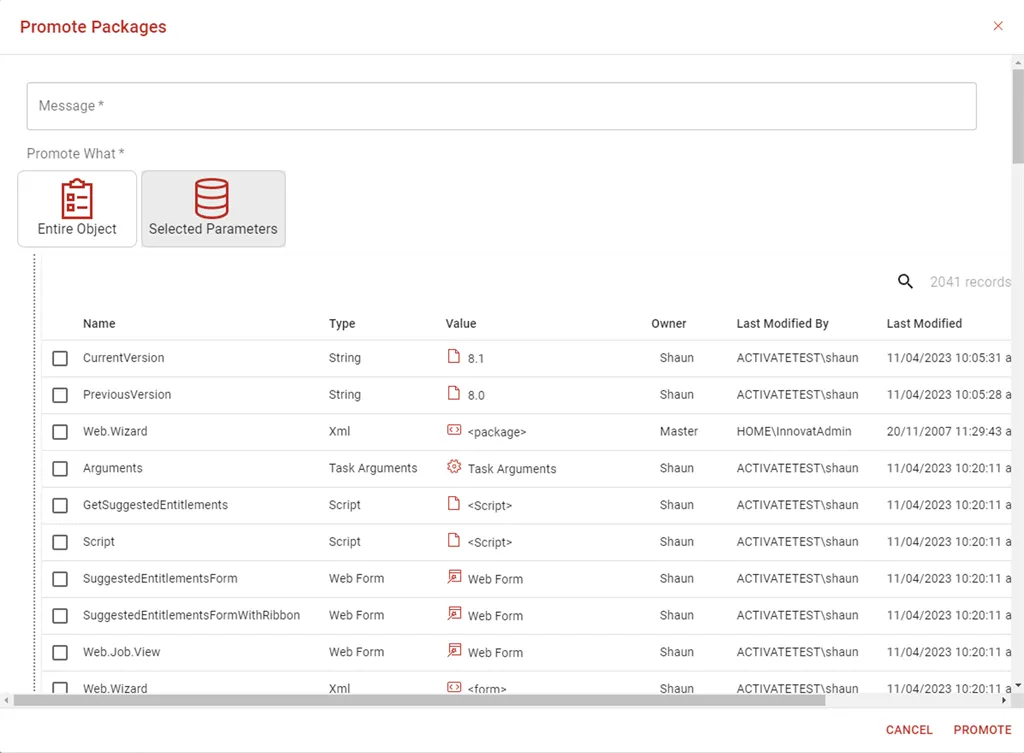
It now possible to Promote and update directly from the web.
For example, you can promote an entire object or specific parameters in a similar way to Desktop Studio.
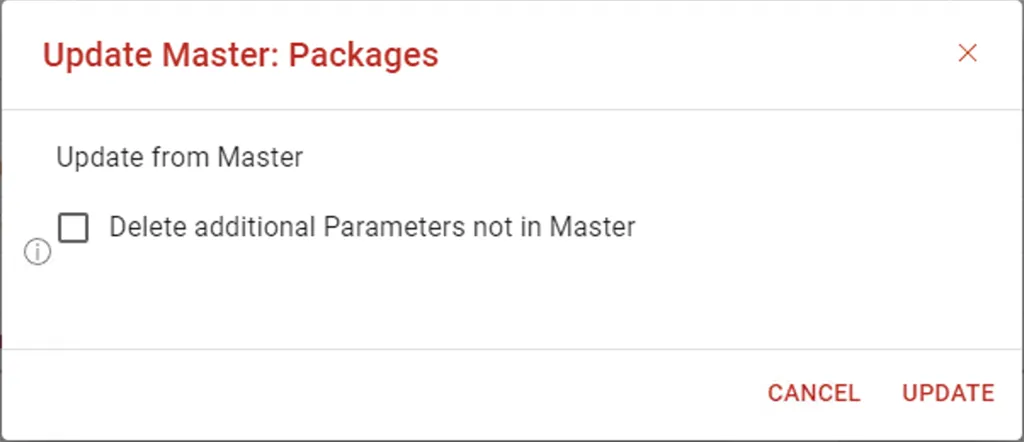
Updating from the Master site is just a simple.
Web Studio Parameter Management enhancements
There a are a number of enhancements for managing parameters in Web Studio.
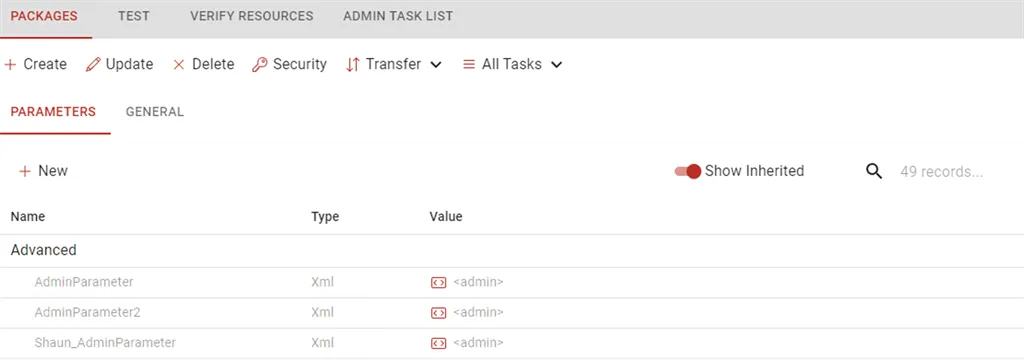
Inherited parameter can now be viewed by toggling 'Show Inherited' in the tool bar.
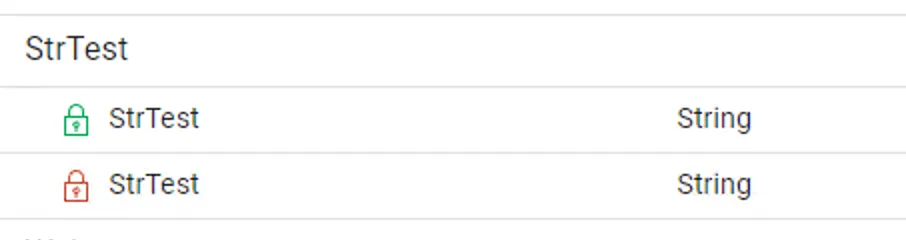
Secured Parameters can now be identified with an icon next to the parameter. The green lock means that security is set but inherited values are allowed, the red lock means that inherited values are not allowed.
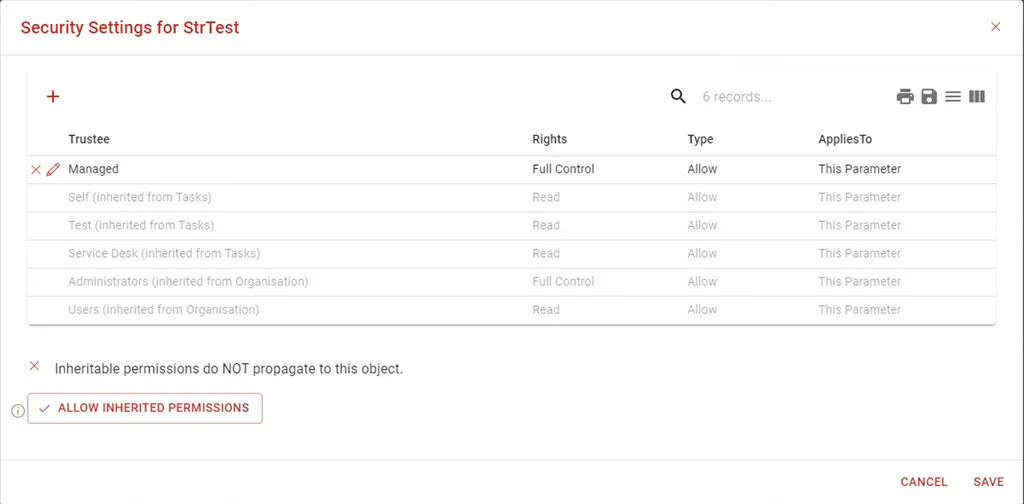
Parameter security can be edited from the properties page for the parameter.
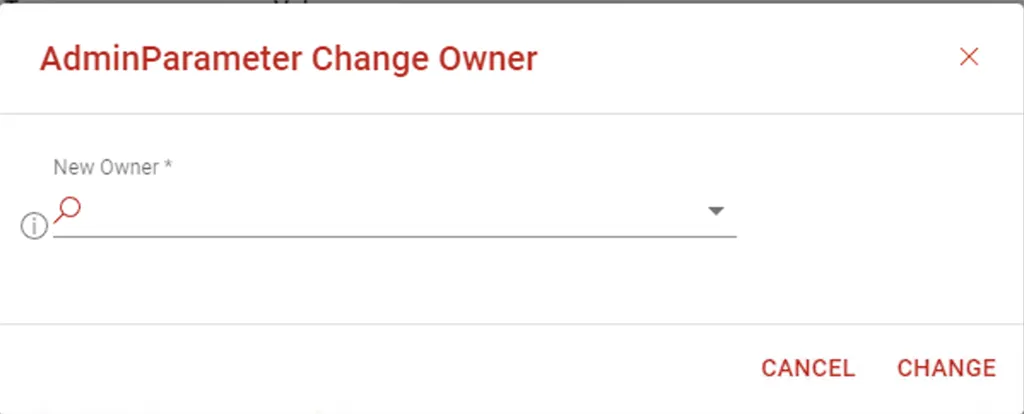
It is possible to change the owner of a parameter by clicking on the Owner column.
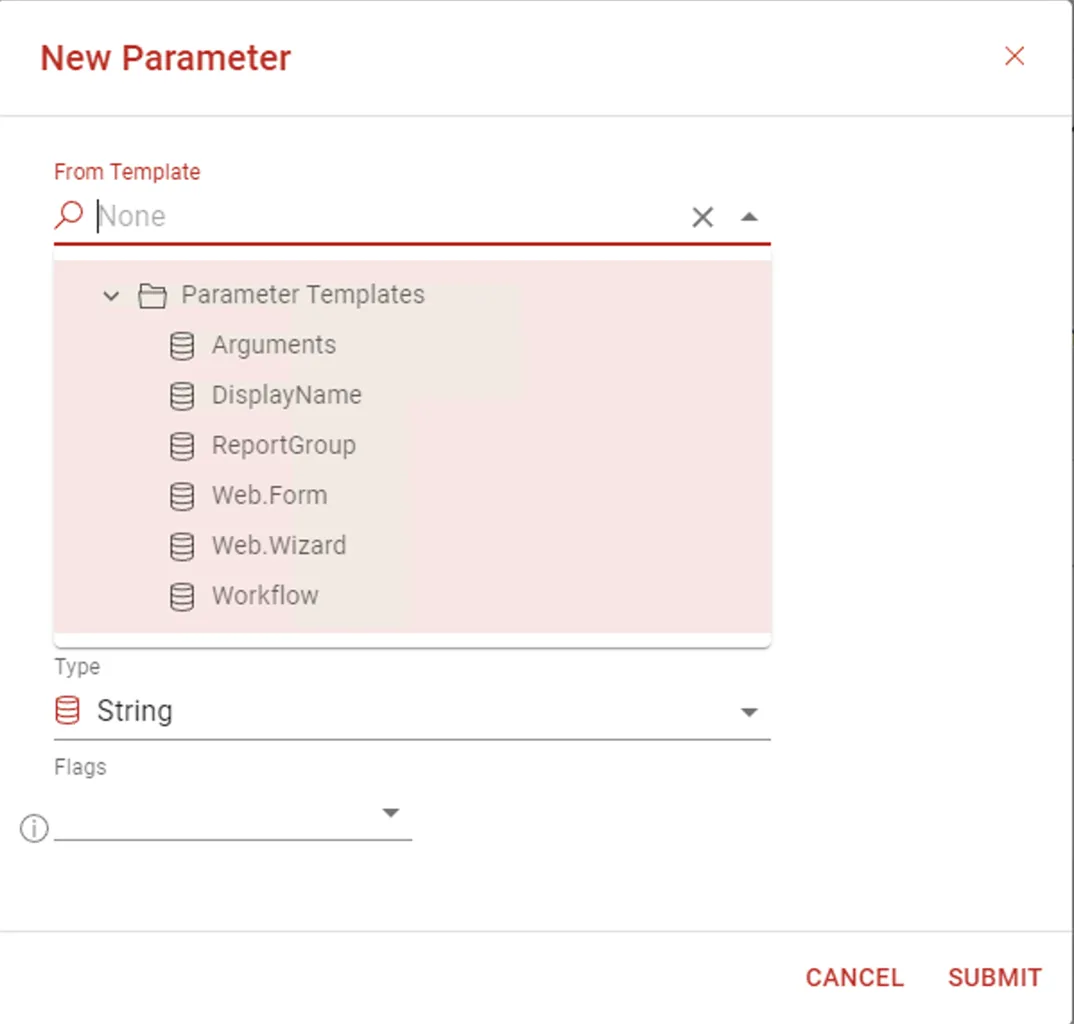
New Parameters can be created from Template parameters by selecting a template when creating a new Parameter.
General Web Enhancements
- Force overlay colours to secondary colour to make them consistent with the theme.
- Controls in Collapsible panel now stay loaded and can be used for optional sections.
- Added DisableMutlipleUsers, allowmultiple extended rights and customValidation to orderServicePage
- Added the ability to have a Web.Template.Preview for SelectTemplate controls.
- Allow DirectoryEntryList to fallback to a generic icon if the object type is not known.
- Added Configuration/Web/UnavailablePage as home page if the user is not allowed to use Activate.
- Improve TextExpression control refresh and updates
- Added SelectJob control
- Added ProvisioningEventHtmlWriter to provide enhanced logging
- ActivateWebGrid
- New column formats
- unsafehtml - allows raw html - use with caution and only from trusted data
- text - pre-formatted text <pre></pre> styles
- Added target='select' for admin mode to target and select a node. Used for Seaching in Admin
- When searching for objects in Select controls ignore custom filters for Non Leaf controls.
- BrowseObjects Control - Added ItemLink override the same as ItemName and ItemDescription. Can be url "/members/query" or can be expression.
- Fix Visible property for RibbonGroup
- Fix a null reference issue when cancelling from Log Audit in PAM
- Added support for FIleDownload control to use a FileValue parameter.
- Added ability to get AccessRights on UpdateServices. This can be used on Services Approval pages to allow users to view services that they do not have VIEW rights on by setting this to READ.
- Users can now view properties, preview and update services now check that if the user is an approver on the Current task then they can view properties without any other rights.
- Added DisableSuggestions to the Activate SelectXXX controls to disable showing suggestions.
- If impersonating and the original user is a developer then mark the impersonated user as a developer so that trace and other information is shown to assist with debug
- Browse Instances now excludes options by default for services.
- Improved debugging support by returning DebugLog if form submission errors
- Added support for an ExportFileName to be set on grids and changed the default export name to be the title of the grid or title of the page is not set.
- Users searching for Jobs or Tickets must now have 'VIEW' rights to see the result.
- Added Placeholder support for DropdownCheckBoxList and ListPanel
- Added ability for ProvisioningObjectNameColumn to override the icon
- Allow WebGrid ToolBar to be a WebForm and support binding values.
- Parameter list can now pass readonly to clicked forms
- Added SelectParameterTemplate
- Added support for disabled, readonly and displayonly to the Editor control.
- Improved BindingSort to use internal Compare rather than a string compare to allow sorting by date and allow introduced BindingSortDirection to allow a Descending sort.
- Enhanced Dialog submit feedback by showing a loading spinner after 1sec.
- Added suggestions to ExtendedRights
- Improved expression handling for Editor control
- Force links in email previews into a new window rather than replacing the current window.
- Allow a start page in MenuLinks for parameters
- Added SelectSite control and SelectSecurityGroup controls
Anywhere Enhancements
Activate Anywhere has also been updated to .NET 8 and the latest security packages applied.
- Removed the default headers from web.config and moved them to SecuritySettings/headers section. This allows customisation in the Activate database and also fixes the issue where duplicated headers where sometimes created in the response headers due to the header being added by Activate and Anywhere.
- Updated Cookie policy
- Updated to YARP Version 2 for increased performance and security
Desktop Studio Enhancements
- Check if an inline edit value as changed before saving.
- Package dialog enhancements for multiple values
- Allow pageSize and Buttons elements on Web pages to be expressions as well as selected enum values
- Enhanced checking of configuration and installation values when installing Activate.
- Connector workflow editor enhancements
- Improved suggestions on web form properties
- Improved Virtual Computer properties support
General Enhancements
- Allow Azure Role Sync to be turned off by setting DisableAzureRoleSync on the Azure Resource connector
- Increase checks during installation for invalid URL's and certificates
- Allow -FlexGrow to indicate that the item should grow but not expand the parent flex panel. Set the value to -1.
- Default system jobs to System User when submitted
- Always suppress page footer in dialogs
- Implemented a SizeLimit on WebGrids to automatically notify the user if the sizeLimit is breached.
- Added the ability to automatically create and close a service instance. This can be used to create a record or an OrderOnly service that can then be reported on later.
- Moved CSP Reporting to a separate log to stop it filling up the Web.Log
- Set secure only on the X-XSRF-TOKEN cookie
- Performance and memory enhancements by interning common strings
- New function GetParameter(expr) - which will get the parameter specified by the expression.
- Prevent long running Jobs from being restarted during recovery. If the job has been running for more than two times the RecoveryJobTimeout (defaults to 10 min). It will not be restarted. This prevents Sync processes being rerun in recovery mode and stopping all other processes from running.
- Implemented command line upgrade - ./ActivateInstaller /upgrade [instancename]
- Allow AssetInstanceQuery to use RefID or Guid in queries
- Allow AutoMapping to be turned off when setting mailbox permissions. Add a right "-Automapping" or MailboxRights.DisableAutoMapping
- Added createResource option to a ChangeHandler base
- Improve dark mode support for some less used controls
- Update Common Job Properties on a resume
- New UserContextHandler class to allow a section to be run as a specific user.
- Standardise =ldap() expression handling to allow string expansion
- Added Future dates support to the DateRangePicker Control. Next7Days, Next30Days,Next365Days options are available.
- User.UpdateFromXml - added support for a "when" attribute to allow conditional setting of a property.
- Logging - multiple log entries are merged into a simple entry with (N times) after it.
- Fix an issue with editing parameters in Web Studio on
- Added the ability to export and manage multiple values in Packages.
- Allow Computer.GetFromDomainName to work with virtual computers
- Permanent errors when starting the Activate Orchestrator Service (like invalid certificates) prevent the service from re-starting automatically.
Fixes
- Fix issue with $= on some properties not working on some form properties
- Fix Check Access issue with GroupMemberDirectoryEntry
- Fix a conversion issue for sum() - if the values are integers an integer is now returned rather than a double value
- Fix an issue with onLoad and SelectAssetInstance
- Fix datetime null issue when binding model if nothing is selected
- Fix an issue with a null in custom validator on OrderServices if the WebParameter is blank
- Fixed button color not using Color.Primary in emails
- Ignore pending services when using RemoveUnrefencedGroups
- Fix Desktop Studio issue where icons with multiple '-' in the name where incorrectly named in the editor.
- Prevent JobAction's from being added to a users history
- Fix an issue with the add comment button was showing even of the user did not have edit rights.
- Fix an issue where OUDirectoryEntry.Domain did not work as it did in V7.
- Fix issue where no results could show before data and cause a flicker in ActivateWebGrid
- Fix an issue where a forked job could execute a finally clause incorrectly.
- Fix favorited issue when the underlying favorite is deleted
- Fix an issue with the code editor where the connection could be left open after closing
- Fix issue with LongOperation immediate resetting click state if there are already server errors.
- Fix issue where images were attached multiple times - once for each user in the notification list as the images were checked an embedded each time.
- Fix an issue where the Event Scheduler could miss an event if it was scheduled in the next hour on a restart. This was an existing issue from V7.
- Fix LDAP=>SQL issue when all filters are removed leaving O in SQL which it does not like replaced with (1=1)
- Fix issue with rewrapping custom query with (&) on each refresh. Didn't affect anything just not right
- Fix an issue where the standard email template could sometimes be expanded when not in 'email' render mode. This meant that some links where missing in the Job section at the bottom occasionally.
- Fix an issue with the default font size in preview windows.
- Fix an issue where OptionalPanels did not allow expressions in bindings
- Fix an issue with Desktop form editor when editing enums that are expressions
- Fix an issue viewing properties of virtual computers
- Fix no update message not showing on Order Services page.
- Fixed template binding to a list when the template value is an expression rather than a hard coded value
- Fix an issue clearing the current search in the search text boxes.
- Fix QuestionsList text/email rendering and allow to work on Services.
- Fix issue where WebParameter was not set when ordering a new service from the task and therefore the customValidation did not run
- Fix an issue where 'edit' options did not work as expected on confirm pages
- Fix an issue where FileUpload control did not work when using Azure Auth directly to the web site.
- Fix an issue where a reload of a form with a binding template could overwrite existing values
- Fix an issue where page errors where not being shown when a form was 'inline'.
- Fix an issue where service instance previews did not work on draft jobs
- Fix a last PageView issue if OrderService was not in the current Web.Wizard.
- Fix a FileUpload issue where uploading an invalid file meant you could not delete the bad file.
- Fix disabled switch and readonly switch support.
- Fix an issue where changing RenderMode on a Panel did not work as expected.
- Fix Web Studio issue when editing forms and the Text attributes not binding correctly.
- Fix an issue with search where if a single disabled user was returned then no search results were shown.
- Fix an issue where adding / removing and then re-adding the same service with a computer by-passed selecting the computer.
- Fix ProvisioningObject.SetParameter OU issue
- Fix issue when linking to web form that the current job was set incorrectly. Making some drawer buttons not work.
- Fix an issue where the web site could retry too often if the connection was lost.
- Fix PageSize ExtraSmall mapping
- Fix an issue where Select suggestions could contain disabled objects if the object was disabled after the user selected it.
- Fix an issue in SelectXXX controls where selecting the same node that is already selected meant that the drop down re-opening sometimes if another value was selected.
- Fix an issue where Package Values with nested CDATA nodes caused an issue when promoting the package parameter value to master.
- Fix an issue where selected users from Show Members were not added to a job correctly when selected.