8.0.0
Release date: December 8, 2022
Activate V8 represents a major platform evolution, delivering a completely redesigned user experience, strengthened security posture, modernised architecture, and significant operational enhancements.
At the core of this release is a fully rewritten Web Portal built as a React-based Single Page Application using Material UI. This introduces a faster, more responsive interface with a modern design, theming capability (including Dark Mode), improved navigation, a new global search experience, and enhanced grid functionality with advanced filtering, grouping, and reporting capabilities.
Major New Features
- Brand new completely rewritten and redesigned Web Portal
- Single Page Application based on React and Material UI
- New Design and Theme based on Material UI and new SVG Icons
- Dark Mode
- Zero Trust Design
- SSL Everywhere
- Secure out of the box settings
- CSP and Anti-forgery security on the main portal.
- .NET Core 6 for increased security and performance
- New Reporting and Dashboard experience
- Multiple installations on a single server
- Activate Administrator is now Activate Studio
- New Web based Studio experience
- New AI based Chat Bot
- New Activate Anywhere
- New Email Digest
- Activate Job Service is now Activate Orchestrator
- New Activate Agents
- New Improved and faster File System scanning
- Signal-R support
Installation Requirements for V8
- SQL Server 2017 or greater
- Windows 2016 or greater
- IIS
- Basic features
- Security
- Basic Authentication
- Windows Authentication
- Web Sockets
- Client Support
- Current versions of Safari, Chrome, Edge or Firefox
- Note: Edge Legacy and IE11 are not supported
- .NET Core 6 (https://dotnet.microsoft.com/en-us/download/dotnet/6.0). Both Hosting and Desktop runtime are required.
- Windows Hosting Bundle
- .NET Desktop Runtime
- SSL Certificate
- Activate V8 requires that all communication is done via SSL and therefore a valid certificate is required.
- The installation process will generate a self signed certificate that is suitable for testing but cannot be used in Production.
- The Self signed certificate must be installed in the Trusted Root to work.
- For more information: V8 Certificates and usage
- Activate Studio Desktop Optional Components
- Microsoft WebView2 (https://developer.microsoft.com/en-us/microsoft-edge/webview2/)
- This is required to view images and HTML in Activate Studio Desktop edition.
- WinMerge (https://winmerge.org)
- This is an optional component to make it easier for an administrator to merge changes on an upgrade of Activate.
Installation
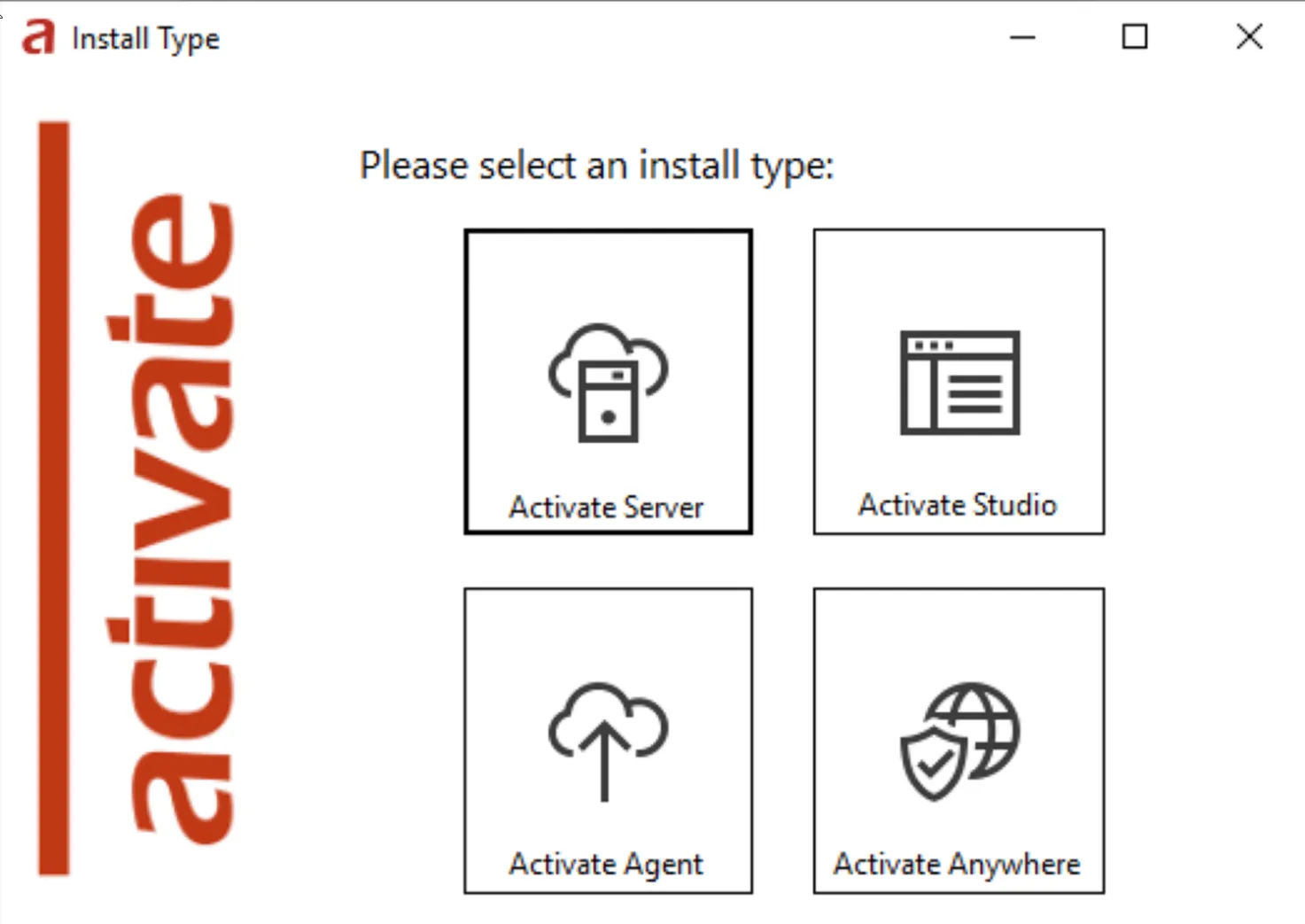
The new Activate V8 Installer allows multiple versions of Server, Studio, Agents and Anywhere to be installed on a single server. Each instance is named and is independent on the server.
User Interface
The Activate V8 Web Portal has been completely rewritten as a Single Page Web Application using Facebook React and Material UI. This is the same technology that is used by Microsoft for Web Office 365, Microsoft Teams, and the Azure Web Portals. This means:
• Increased performance and responsiveness
• New Modern look and feel
• Easily themed and possible to allow user selected themes
• It is designed to be familiar to Activate’s existing users, while incorporating an updated look and feel.
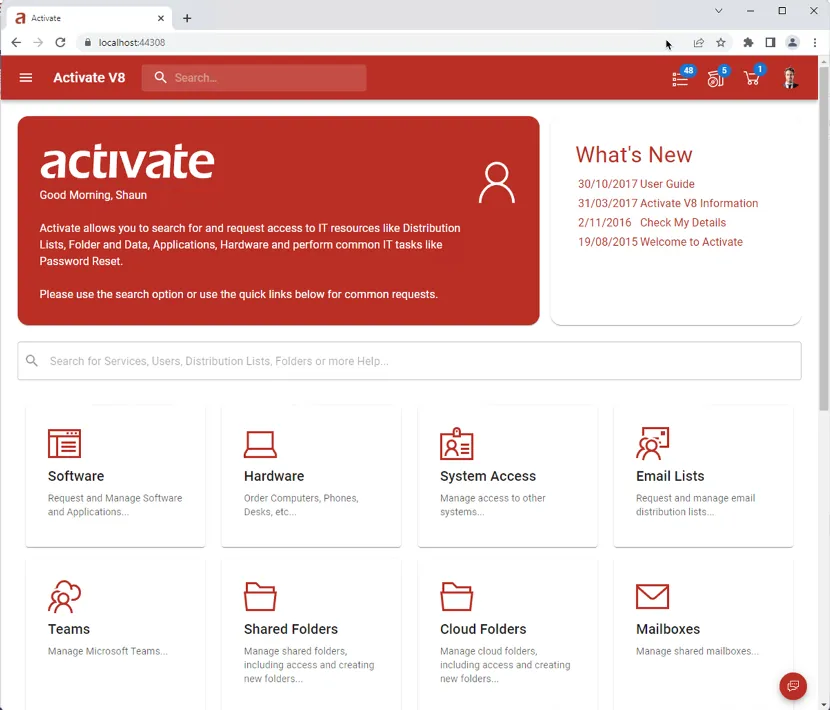
- Banner Removed
- The previous banner above the toolbar has been removed and integrated into the AppBar
- This provides a more consistent User Interface on mobile devices and allows for easier customization
- The AppBar icons have been simplified to make it simpler for users.
- The home icon is removed and replaced with the ‘Name’ on the left of the search bar.
- Approvals and Requests have been merged into a single icon. If the user has approvals these will be shown, otherwise the users open requests.
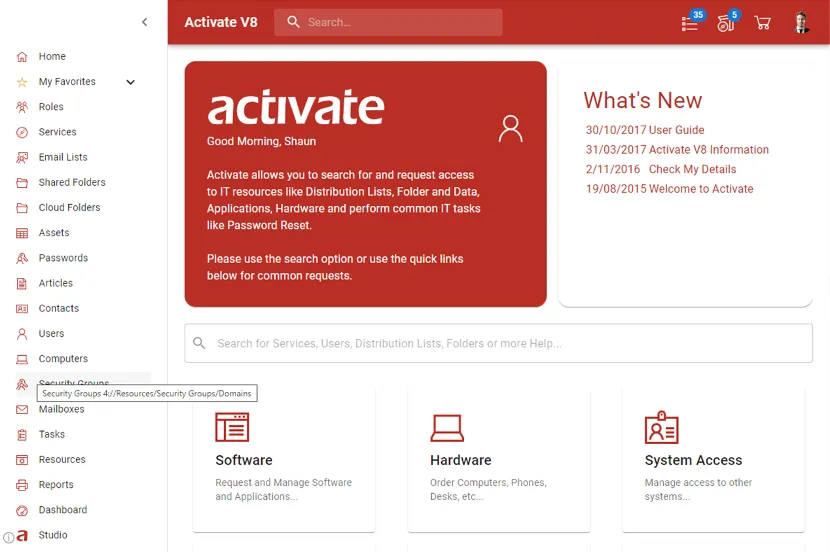
- Drawer menu is available on the left to access
Themes
Activate has themes now! They can be easily created, allowing re-colouring of icons and other web elements, without having to regenerate images. These images are based on lossless (SVG) format so they scale to any size without loss of resolution. Optionally, Users can choose their own theme colours and their choices are retained.
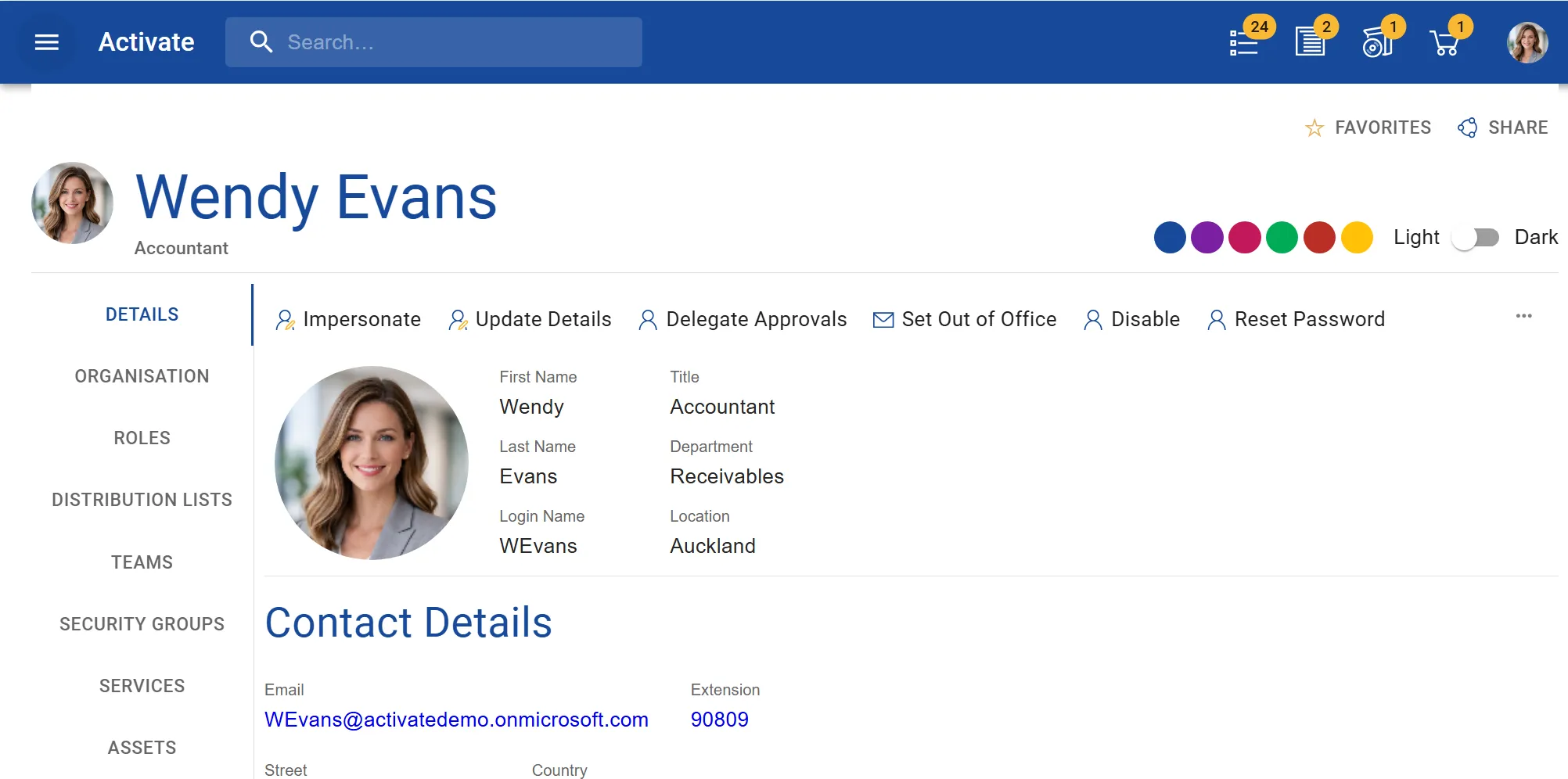
For all those who love dark modes, Activate V8 allows users to select it too.
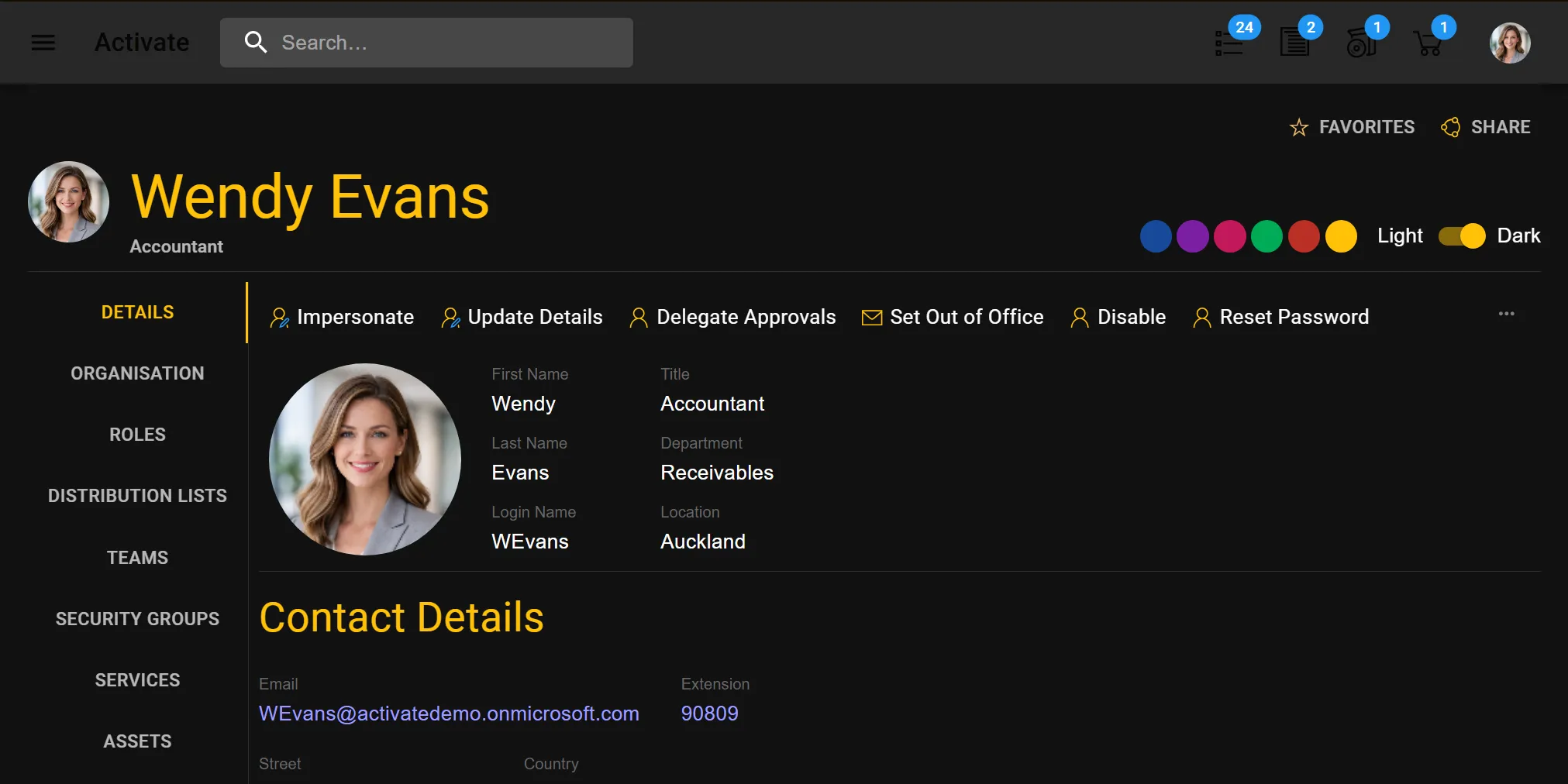
Redesigned Ribbon & Properties Pages
The ribbon panels have been simplified and modernized to align closer to Microsoft Office 365 and Teams. The main ‘Actions’ like requesting something have been moved to a side-bar and presented as buttons to make them standout to users.
Search
Global search is now available right in the Application AppBar. Making search always available no matter what screen you are on.
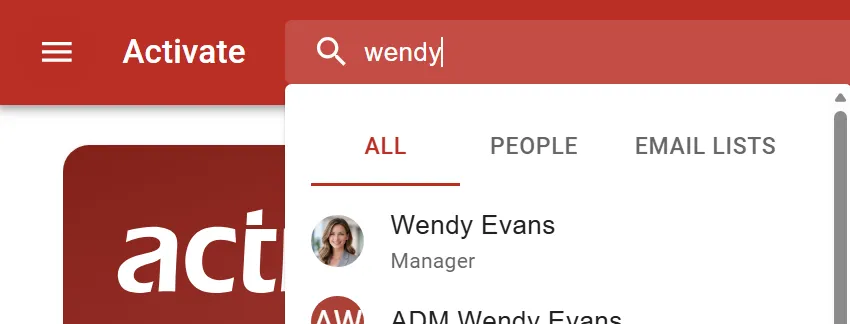
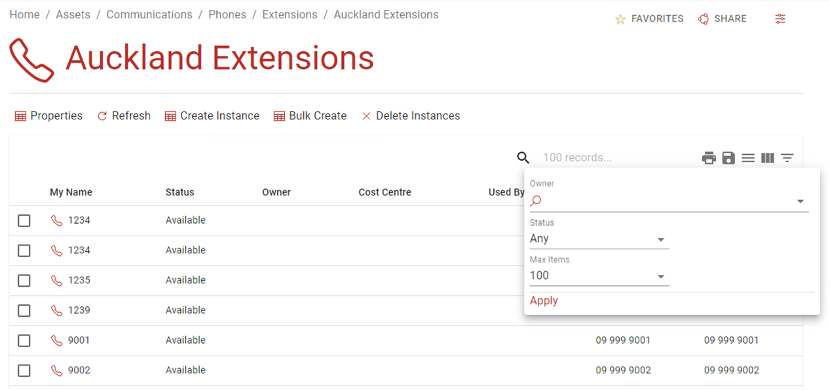
New Web Grid
The new Web Grid brings new functionality to all the Grids within Activate. Including the ability to:
- Quickly search all data in the web form from the header
- Provide a Filter Form as below to quickly search the data on the server
- Group by Columns
- Show/Hide Columns
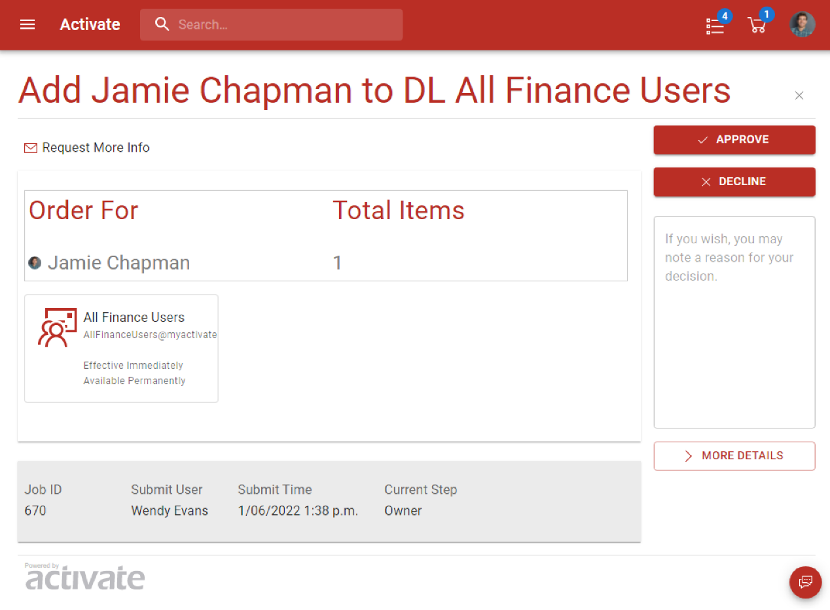
Simplified Approval Screens
The Approval screens have been re-organised to make it easier for users to identify the main actions. The ‘Approve’ and ‘Decline’ buttons have been moved to the Side Bar along with the approval reason.
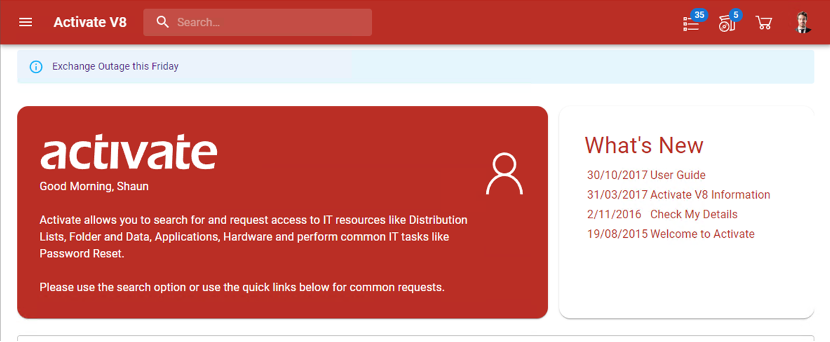
Alert and Banner Notifications
Administrators or Service Desk users can now create articles that are shown as a banner for users. This can be used to notify users of High impact issues and provide high priority messages. For example, outages. The messages are normally shown once per session but can also be shown permanently.
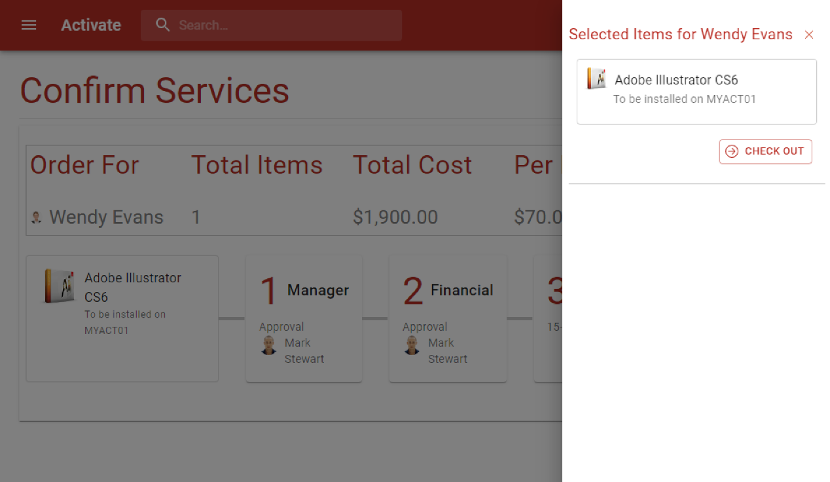
New Shopping Cart Drawer and experience
A new streamlined Shopping cart Drawer and Checkout experience makes it even easier for users to order what they need.
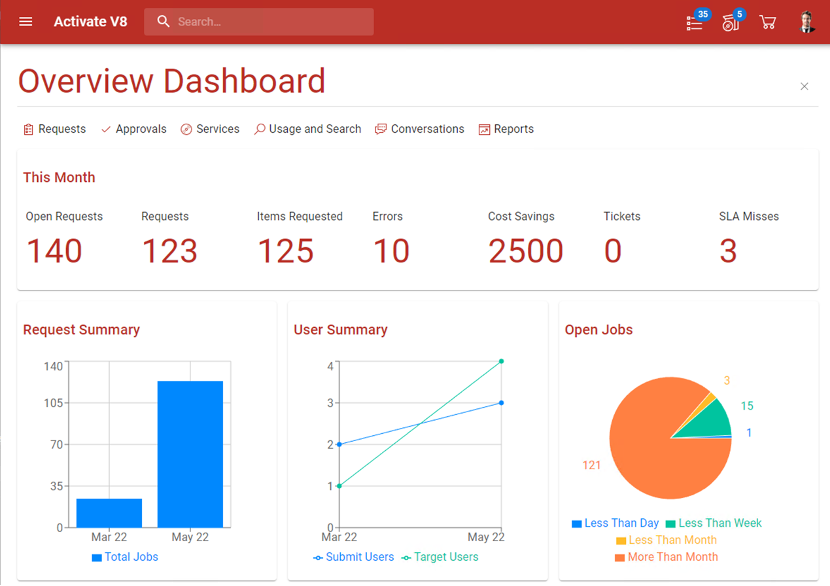
New Analytics and Reports
New Improved Dashboard – making it even easier to view the information you need.
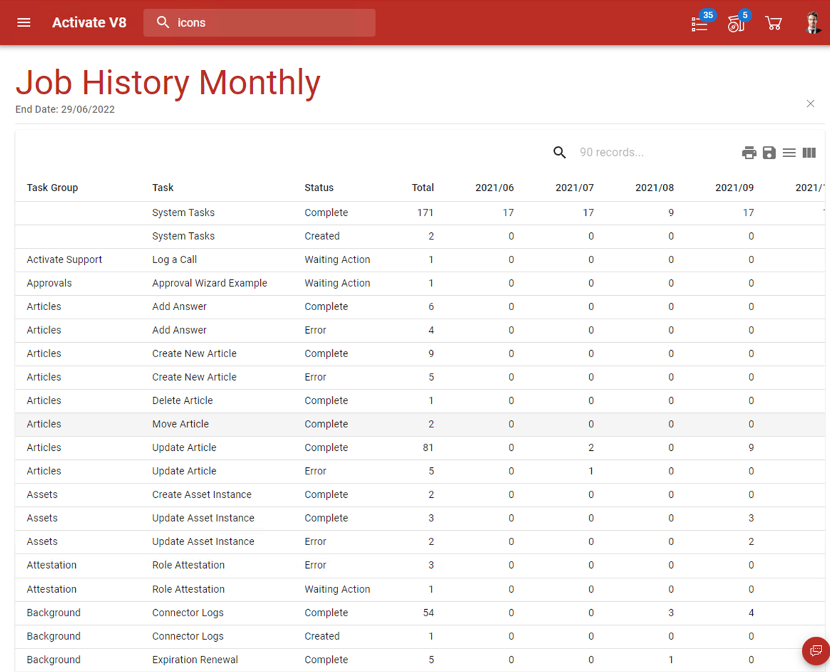
Previous versions of Activate used the Microsoft Report Viewer component to implement reports. However, this component is not supported on .NET core and customers found it difficult to create new reports using it.
All Activate reports are now based simply of the new powerful Activate Web Grid. Below is an example of the Job History Monthly Pivot table report.
Activate Studio Desktop
This is an update on the current Activate Administrator and should be familiar to current Activate Administrators.
Major differences include:
• The ability to install multiple installations and versions on a single desktop
• Self-updating - Automatically connect and upgrade to the correct version based on the server.
• Dynamically refresh and check for changes made by other users.
• The Administrator Task list is now stored in the database and shared amongst all users. This allows multiple people to work on the task list.
• New three way Merge ability and integration to WinMerge when conflicts are detected makes it easy to upgrade and accept changes from Production systems.
• Updated Web Components to WebView2 to support new features.
• Support for high DPI editor text
• Support for SQL Proxy Connections so that the user does not need to connect to SQL directly.
Activate Studio Web Edition
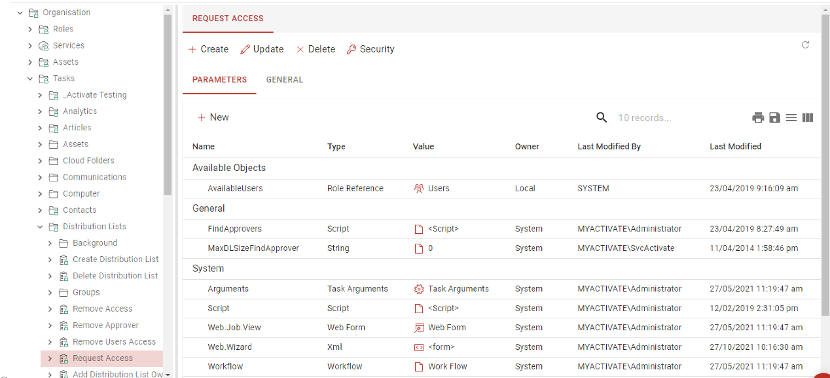
The Web version is designed to allow Administrators to view and perform updates without needing the full Desktop Application to be installed. Not all Desktop functions can currently be performed in the Studio Web version. The intention is that in a future version of Activate all Desktop functions will be migrated to the Studio Web version and the Desktop version will be retired.
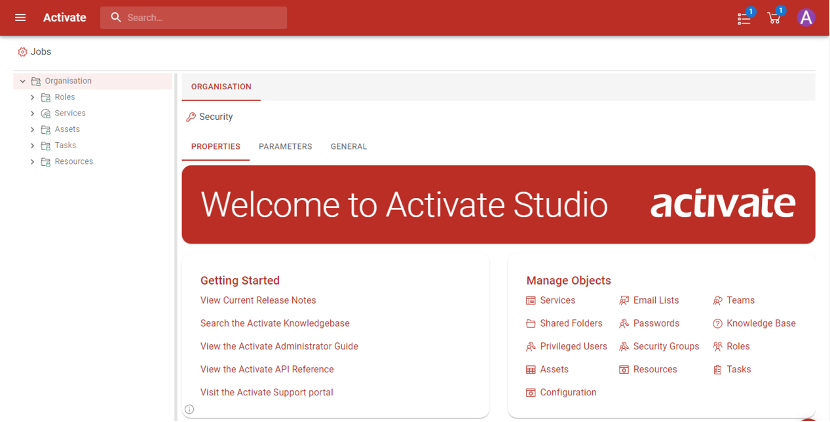
Viewing Parameters
Activate Chatbot
Activate V8 introduces our brand-new Chatbot AI. The Chatbot is built internally by Activate and does not use any external processing. The Chatbot is enabled out of the box and comes with a pre-built set of NLP models that can easily be extended.
The design of the Chatbot was based on the primary goal to make it easy for customers to install and reduce barriers to implementing the Chatbot, while making the Chatbot as functional as possible. If the implementation of the Chatbot required external services, firewall changes and complex implementations then this would have limited the number of customers who could implement it.
- Therefore, we chose to not use frameworks like the Microsoft Bot Engine etc. These frameworks would have required each customer to register their Chatbot and provide inbound web service calls through their external firewalls.
- This means that the ChatBot is only available on the Activate web portal and not via any other channels (like Teams etc)
- This is also why we chose not to use an external Natural Language Engine like (Microsoft Luis or IBM Watson). This would have incurred a cost for each customer and would have required implementation to work. The Chatbot natural language processing is built on the Apache OpenNLP Natural Language processing engine.
- The Chatbot has a number of actions and dialogs that are prebuilt based on Activate common processes. Current actions include: -
- Request something
- Search something
- Help for something
- Create something
- Show members or approvals etc
- For the same reasons the current version of the Chatbot does not attempt to complete an order for a complex service. It obtains the user and the service and directs the user to the correct form to complete.
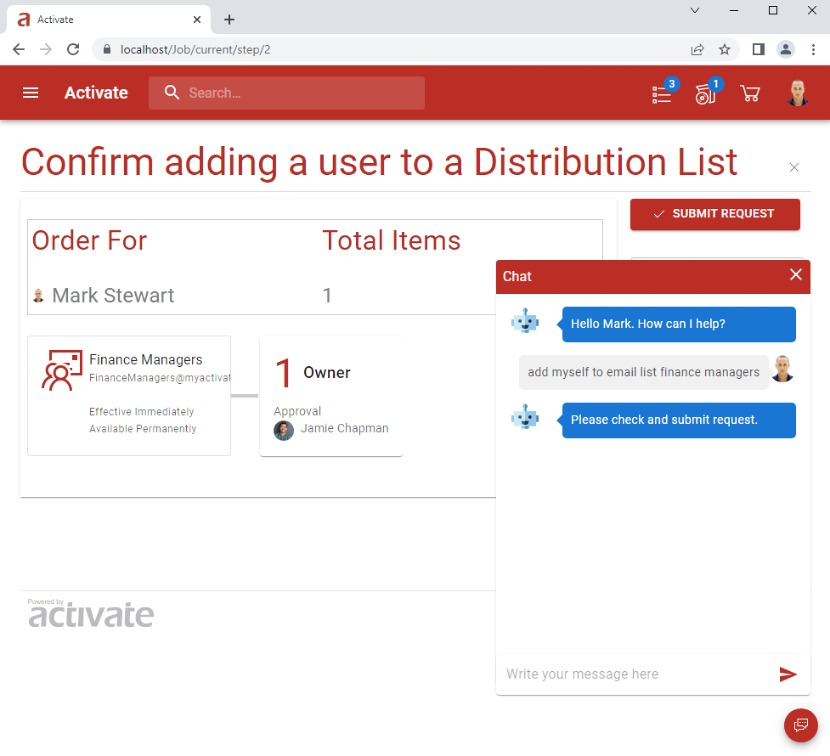
Request Access to Email List Example
In the following example, Mark is requesting to be added to an email list. The Chatbot has identified the user and the email list and directed Mark to the confirmation screen to review the request before submitting.
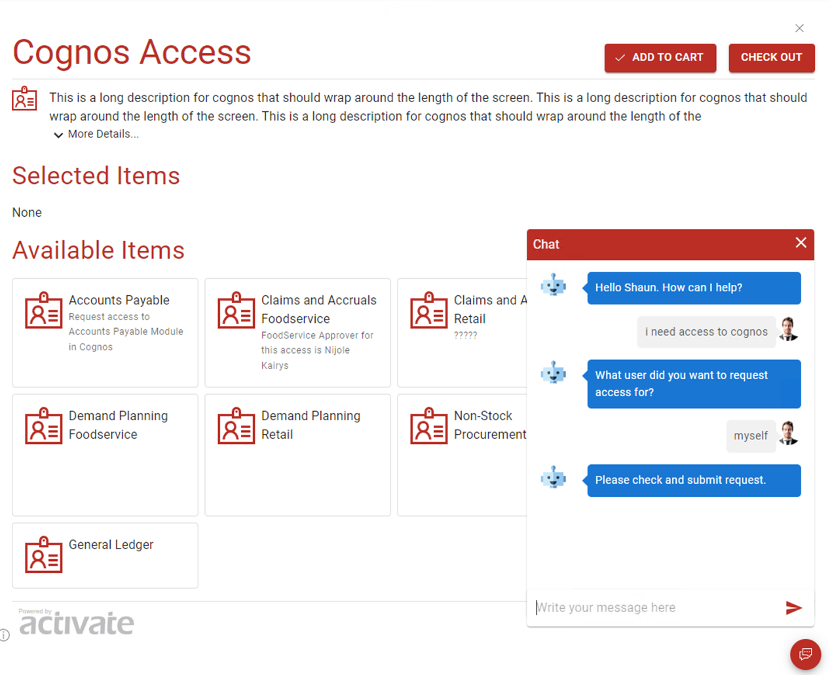
Requesting a complex Service
In the example below, the user wants to request access to Cognos which has a number of options and a complex web form. The Chatbot has asked for clarification of who the access is for. It has then opened the Service Request page for the user to complete.
Requesting Help
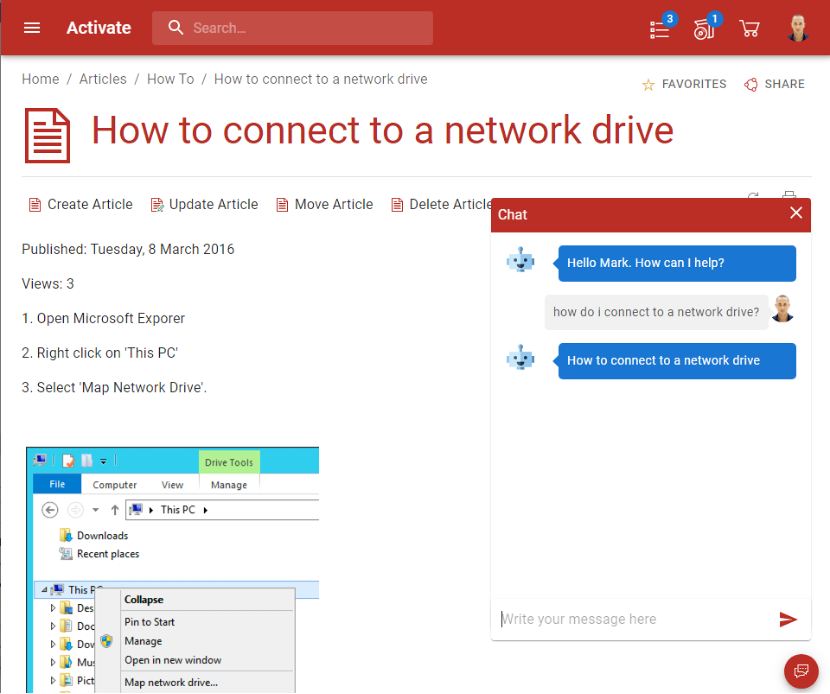
The Chatbot is fully integrated with the Activate Knowledge Base (Articles) and can leverage information to provide answers to user's questions. For example, the Chatbot identified that there an Article that would answer the user's question and opened the document for the user to read.
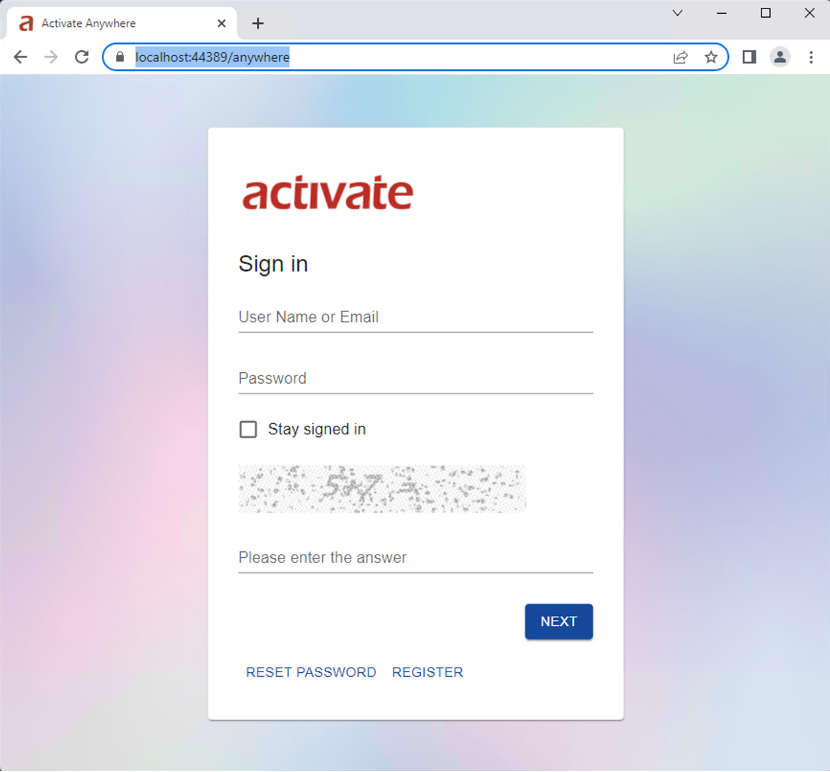
Activate Anywhere
Activate Anywhere has also been completely rebuilt on the same .NET core technology and a great new look.
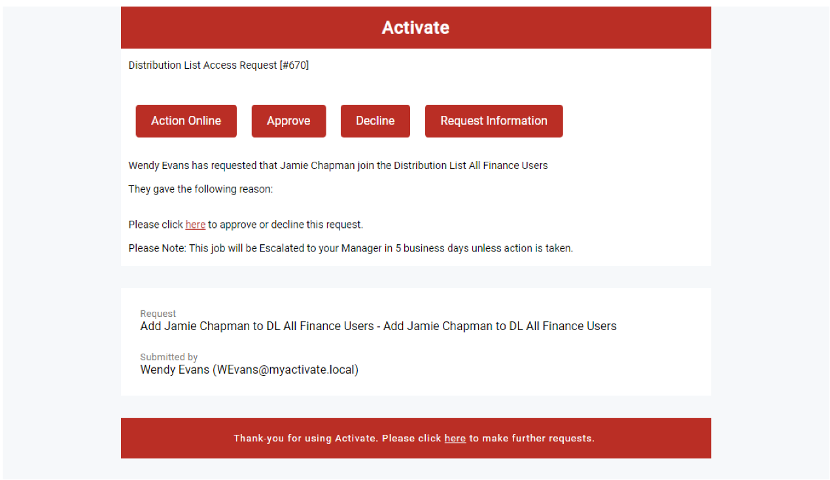
New Email Features and Templates
There is a new default email template for all Activate emails that mirrors the design of the new Web UI.
Email Digest
Standard notifications and reminders are now sent as a digest once a day. This can be configurated or turned off. Approvals are sent immediately unless configured for the specific approval.
Approval emails can also be set to Digest mode if required.
Activate Orchestrator
The Activate Job Service has been renamed to Activate Orchestrator. Activate Orchestrator is the central hub for Clients and Agents to connect to.
Activate Orchestrator uses Signal-R over web sockets to communicate with clients. This means that only outbound SSL is required.
This enables a number of new features:
- Synchronous jobs on the web site now run in the context of the Orchestrator service. This means that less permissions are required by the Web site AppPool account.
- Increased performance and decreased resource usage
- Multiple Orchestrator services can be installed and run on a single Server.
Activate Agents
Agents are a new feature in Activate that allow jobs to be run locally from a Cloud Orchestrator without requiring VPN or other access.
The other use case for Agents is to run then at remote sites within your network to perform resource intensive actions locally. For example, you can run an Agent at a remote site to perform a file scan on the local servers and then only send the changes back to the main Activate Database.
This offloads not only the scan but also the load on SQL as the file scan is performed.
- Fix a stand-alone upgrade installer issue with Activate Studio
- Fix an Anywhere upgrade issue were a blank App Pool was created sometimes.
- Added ability to schedule background items on a specific date
- Added missing SQL Index for WorkflowEvent
- Studio - Check cut and paste Services do not cause duplicate GUID's
- Allow execute nodes to be shown in Workflow Summary
- Fix potential issue if DNS name resolution fails when a user logs in
- Fix issue with CanChangePassword if the user is deleted.
- Fix client Treeview refresh issue
- Check the delta between the server time and SQL server time. If the delta is too large then warn or error the job service.
- Force the identity cache to be disabled when creating a new database.
- Enhance FileUpload for the single file case more user friendly.
- Fix SelectUserPage issue with common queries did not work correctly and the wrong tab was selected when returning to the page
- Enhance BrowseObjects and ActivateTree to implement paging if there are a large number of items.
- Fix an issue with AD Compliance where a group that was created and immediately deleted could cause ghost ADCacheMember items.